

Get rid of unneeded watermarks, signatures, stamps, and logotypes, and other embedded objects from PDF files in a single or batch mode. Scan your PDF documents, get a list of watermarks, and select the ones you want to be removed while preserving the quality of the original PDF documents.
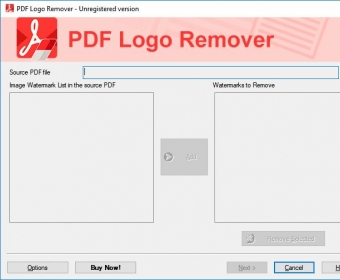
PDF Logo Remover, as the name implies, is an application which helps you get rid of unwanted watermarks, signatures, stamps, logotypes, or other kinds of images from selected PDF files. Once you have installed the program and opened it, it is impossible not to take to an end the process of removing embedded objects from PDFs. And this is due to the fact that the interface is more than intuitive, with steps succeeding in a natural order.
First of all, you have to browse through the file you want to check for watermarks. After a thorough search within the file, all the images are brought in front in the "Image Watermark list". From this stage, you can select only those watermarks you want to be removed by pressing the "Add" button. In case you change your mind, you can rely on the "removed selected" to send your selection back to the initial list.
The next window allows you to configure the list of PDF files to process. The previously selected watermarks will be removed from all of them. The resulting files will be saved to a path also chosen by you, or it can be overwritten. more






Comments